Build Anything Building Tips
Structure, color, performance, and pass synergy for cleaner creations.
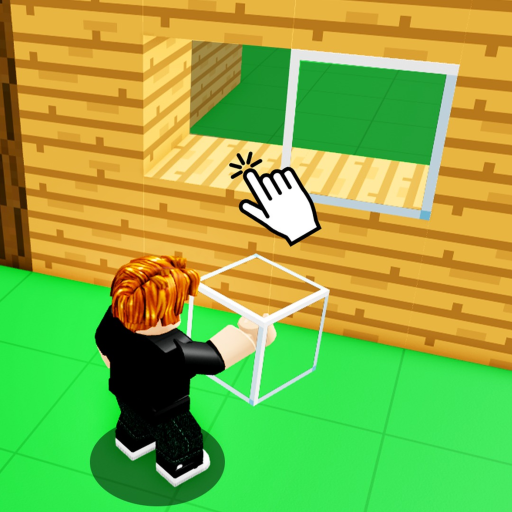
Great Build Anything! creations look intentional, not accidental. The Roblox sandbox gives you freedom, up to 22 players online, and optional game passes — but freedom without habits produces floating blocks, lag spikes, and rebuild fatigue. This guide collects practical building tips: planning, scale, color, performance, and when to buy packs like Rainbow Block Pack or Glass Colors Pack instead of brute-forcing with defaults.
Assuming you already spawn and place blocks, skim Controls for input speed, then Save Builds so tips apply to a persistent private server.
Plan before you place
Spend five minutes off-game or in a sketch corner before mass placement:
- Pick a theme — modern house, medieval fort, obstacle course, billboard park
- Choose footprint — rectangle vs circle vs floating island
- Set max height — prevents endless vertical spam that lags mobile friends
- Mark entry path — guests in Invite Friends sessions need obvious spawn-to-build routing
Reference images on a second monitor beat guessing proportions. Roblox studs are abstract units — compare door height to player avatar defaults.
Scale and structure
Structural believability sells sandbox art:
- Foundations first — flat base plate before walls; fix terrain bumps early
- Wall thickness — single-block walls look paper-thin for houses; double up or use trim
- Roof pitch — overhang one stud past walls for shadow depth
- Interior volume — leave walkable space before sealing ceilings
- Supports — long bridges need pillars even if physics is forgiving
For tall towers, build a lift core or stairs every N floors so Sprint pass owners are not the only ones who can tour quickly.
Color and materials
Default palettes get you started; passes expand expression:
| Pass | Building use |
|---|---|
| Paint Tool | Fast recolor without swapping block types |
| Glass Colors Pack | Windows, skylights, neon accents |
| Rainbow Block Pack | Signage, pride art, event arches |
| Nature Pack | Trees, rocks, outdoor scenes |
| Christmas Pack | Seasonal plazas without custom modeling |
Use three main colors + one accent so scenes read from distance. Put accent color on doors, trim, or signage only.
Performance habits
Lag ruins co-op sessions. Protect frame rate with:
- Limit tiny part spam — one textured wall beats fifty micro parts when possible
- Cull hidden interiors — decorate visible rooms first in public tests
- Stagger tool effects — rocket spam during build night tanks FPS
- Split mega projects across private saves instead of one infinite platform
When showcasing to strangers, read Protect Builds so laggy demos do not tempt griefers.
Tool and gadget integration
Gadget passes are toys and utilities:
- Rocket Launcher — clear test zones, not friend griefing
- Freeze Ray Gun — pause prank fights during serious build hours
- Rainbow Carpet — tour upper floors for visitors
- Door Pack — functional doors beat block gaps for houses
- Bat — meme combat away from fragile art
Rank purchases on Best Value Passes before buying everything day one.
Workflow with saves and scripts
Official persistence lives in free private servers — see Save Builds. Some creators duplicate sections with Save/Load scripts; that is optional and risky for accounts.
Milestone screenshots every hour help rebuild after accidents. Name save slots if the UI allows labels.
Common beginner mistakes
- Building entirely in public servers without save plan
- Ignoring door height — avatars clip or jump awkwardly
- Symmetry obsession on first draft — iterate one facade, mirror later
- Buying Furniture Pack before learning basic box rooms
- Skipping Getting Started checklist
Related pages
- Items Packs — what each bundle contains
- Tier List — pass priority order
- Updates — new blocks after patches
- Guides Hub — full guide index
Advanced detailing tricks
Add depth strips one stud off main walls to fake trim without heavy part counts. Use negative space — balconies, cutouts, and courtyards — so flat facades read from spawn. For group builds, agree on a shared block budget per district so one decorator does not exhaust part limits while others wait. Revisit saved private servers weekly to prune unused test cubes that silently accumulate under terrain.
Frequently Asked Questions
Quick answers for Build Anything players on Roblox.
Do I need game passes to build well?
No. Passes add convenience and variety. Core structure comes from planning and practice.
How do I reduce lag in big builds?
Limit micro-part spam, decorate visible areas first, and use private servers for huge projects.
What is the best pass for builders?
Many players prioritize Paint Tool or Furniture Pack. See Best Value for ranked advice.
Should I build in public or private servers?
Private servers for saves; public for quick demos and social inspiration.
How tall should doorways be?
Compare to your avatar height and leave clearance for jump animations.