How to Save Builds in Build Anything
Private servers, persistence rules, and backup habits for long projects.
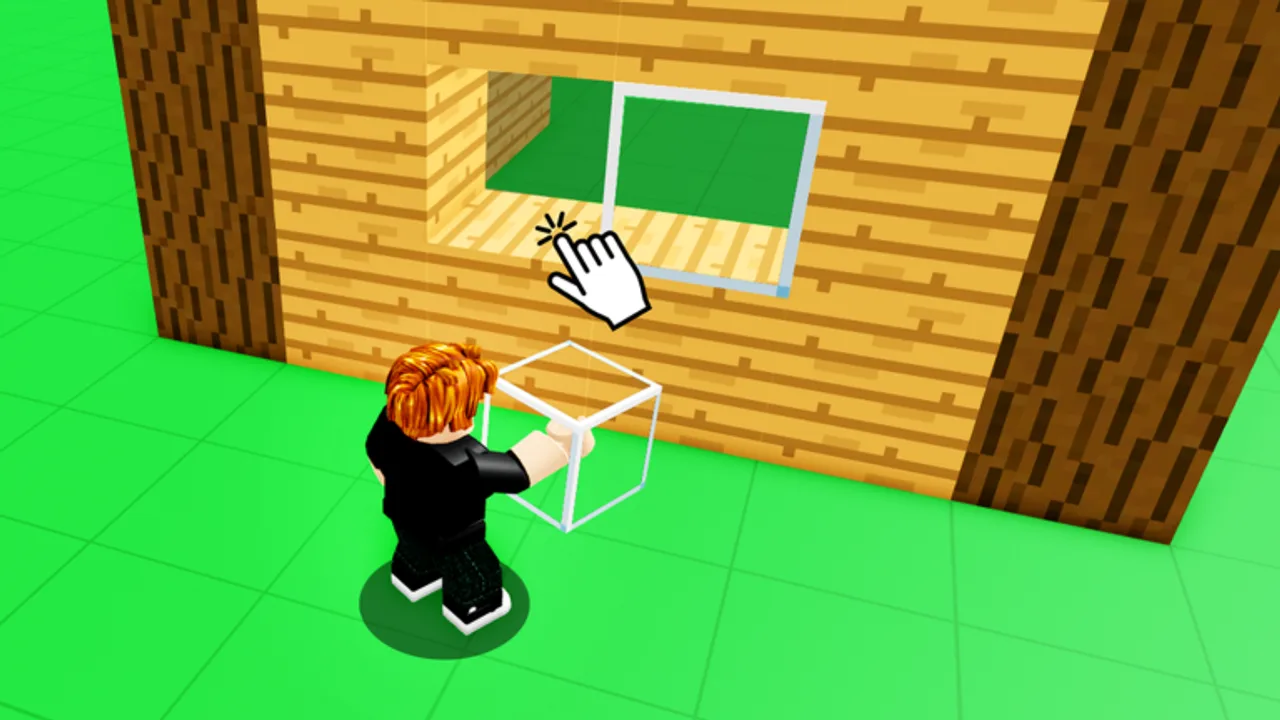
Long Build Anything! projects fail when players assume every server keeps their blocks forever. The game saves builds in free private servers — a supported workflow from Build Anything Games — while public lobbies remain better for quick experiments and social visits. This guide explains how persistence works, how to spin up a private server without paying Robux when the feature is free for this experience, and how to combine legitimate saves with optional script tools.
If you skipped onboarding, read Getting Started first, then return here before you invest a weekend in a megabase.
Public vs private servers
| Server type | Best for | Save expectation |
|---|---|---|
| Public | Meeting players, short demos | Treat work as temporary unless confirmed |
| Private | Main creative save slot | Intended persistence for supported saves |
| Friend-only | Co-op with trusted builders | Same as private when using free server option |
Public servers can reset when populations shift or when griefers interfere. Private servers give you controlled access so your layout survives between sessions.
Creating a free private server
Roblox experiences sometimes include free private servers for owners. Build Anything advertises saves through that path. Typical steps on the website or app:
- Open the Build Anything game page on Roblox.
- Scroll to the Servers tab.
- Look for Create Private Server or Private Server with Free pricing.
- Launch your instance and invite only people you trust.
- Build inside that instance and rejoin the same private link each session.
The embedded tutorial above covers general Roblox private-server creation. Menus rename occasionally, but the flow — game page → Servers → private link — stays consistent across experiences.
Roblox Plus private server limit (September 24, 2026)
A platform-wide Roblox policy change affects how many free private servers Plus subscribers can keep per game. Starting September 24, 2026, Roblox Plus includes only one free private server per experience — not unlimited extras across the same title.
What this means for Build Anything builders:
| Situation | Impact |
|---|---|
| One saved project on your main Plus free server | Minimal — keep using that link |
| Multiple Plus free servers for different WIPs | Extra free servers expire after the cutoff |
| Purchased private servers (paid Robux) | Unaffected — you keep paid slots |
| Non-Plus players using Build Anything’s free server | Check the game page; game-offered free servers are separate from Plus perks |
Mitigation checklist before September 24, 2026:
- Inventory your private links — open Roblox server history and note which Build Anything instances hold real saves.
- Consolidate work — migrate active builds into the one server you plan to keep, or into a purchased private server if you run parallel projects.
- Screenshot milestones — backup layers in case a deprecated Plus slot becomes read-only or inaccessible.
- Tell co-op partners — the private server owner account controls persistence; agree on which link remains canonical (Invite Friends).
- Track official Roblox posts — policy details may clarify grace periods for expiring Plus servers.
This change does not remove Build Anything’s core save messaging — builds still save in supported private servers — but Plus users must plan which server becomes their long-term vault. Read the dated breakdown on Changelog and the Updates Hub for platform plus game timelines.
In-game save behavior
Exact labels change with updates, but sandboxes like Build Anything usually combine:
- Auto-save snapshots when you leave a supported server cleanly
- Manual save buttons or tool prompts in build menus
- Load slots that restore the last confirmed snapshot for that server owner
Always exit through the menu instead of force-closing the app mid-build. Hard kills correlate with lost progress on mobile.
Document which private link you used. Many players lose work because they rejoin a different server ID from their history list.
Co-op saves with friends
Online co-op supports up to 22 players, but save ownership follows the private server owner account. Agree on who hosts before starting a group castle.
- Host creates the free private server and shares the link via Invite Friends.
- Contributors know the host account controls persistence.
- For equal ownership, rotate projects or duplicate sections using Save/Load script workflows if you accept script risk.
Backup habits beyond the game
No unofficial sandbox replaces personal backups:
- Screenshot milestones — exterior angles and floor plans help rebuild after griefing.
- Record timelapses for complex geometry you might not remember.
- Export via supported tools when the game or scripts expose save files — see Scripts Hub cautiously.
- Rebuild drills — practice recreating one room so panic drops if a slot corrupts.
Pair this page with Protect Builds when testing ideas in public lobbies before migrating to private saves.
Script save/load (advanced)
Some players use executor scripts to duplicate structures or text-sign creations. The dedicated Save/Load Builds script guide describes features like cage tools and load commands without replacing the official private-server method. Scripts violate Roblox Terms of Service if used with exploits — account bans are possible. Prefer official saves for account safety.
Troubleshooting missing builds
| Problem | Likely cause | Fix |
|---|---|---|
| Build gone after rejoin | Wrong server ID | Reopen the exact private link from Roblox server history |
| Partial loss | Crash mid-session | Rejoin private server; rebuild from screenshots |
| Friend cannot see work | They joined public lobby | Send private invite link |
| Save button grayed out | Unsupported server type | Create free private server from game page |
Related guides
Continue with Building Tips for efficient structure, Controls for faster editing, and Items Packs if you need more block types after saving a stable base. Track patch changes on Updates when save UI moves.
Frequently Asked Questions
Quick answers for Build Anything players on Roblox.
Do Build Anything builds save in public servers?
Persistence is tied to the free private-server workflow. Treat public lobby work as temporary unless the game explicitly confirms otherwise.
Are private servers free in Build Anything?
The game advertises saves through free private servers. Check the Servers tab on the Roblox game page for current pricing.
Who owns a co-op save?
The private server owner account typically controls the save slot. Agree on hosting before group builds.
Can scripts replace official saves?
Scripts may duplicate builds but carry ban risk. Use official private servers for account-safe persistence.
Why did my build disappear?
You may have rejoined a different server ID or crashed mid-save. Always use the same private link.
Does Roblox Plus still give unlimited free private servers?
Starting September 24, 2026, Plus includes only one free private server per game. Extra Plus free servers expire; purchased servers are unaffected.