Build Anything on Mobile & Tablet
Touch controls, performance settings, and save habits for pocket builders.
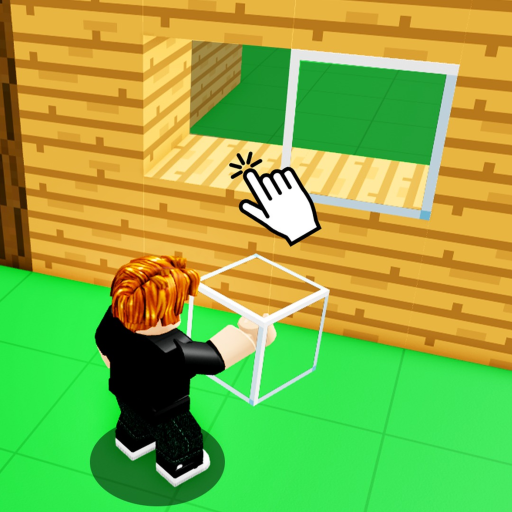
Build Anything! runs on the Roblox mobile app for phones and tablets, and supports controller input on many devices. Mobile players join the same 22-player online servers as PC users, place the same blocks, and use the same free private server save workflow — but touch UI, performance limits, and crash risk differ enough to deserve a dedicated guide. This page complements the full Controls reference with mobile-first habits, tablet layout tips, and save discipline so your castle survives a commute.
Build Anything launched September 20, 2025 from Build Anything Games with 200M+ visits tracked on live stats sites. A large share of those sessions happen on phones. Treat mobile as a first-class platform, not a downgrade.
Install and launch checklist
- Install Roblox from the official iOS App Store or Google Play — avoid third-party APK mirrors.
- Sign in with the same account you use on PC if you want passes and saves to sync.
- Open Build Anything on Roblox and tap Play.
- Accept performance download if prompted — mobile loads lighter asset bundles.
- Before long builds, read Save Builds — mobile crashes hurt more without private-server saves.
Touch control layout
Roblox mobile uses a floating thumbstick plus context buttons. Build Anything layers build tools on top:
| Action | Touch input |
|---|---|
| Move | Left virtual thumbstick |
| Jump | Jump button (usually lower right) |
| Camera | Drag on empty screen area |
| Pinch zoom | Two-finger pinch |
| Place block | Tap valid surface when block equipped |
| Delete / alternate tool | Swap hotbar tool; some items use long-press — read HUD label |
| Open block menu | Tap catalog icon on HUD edge |
| Chat | Chat bubble — disable if it covers build buttons |
Exact button positions shift after Roblox app updates. Re-scan the HUD after patches listed on Updates.
Tablet vs phone differences
Tablets offer more screen estate for the hotbar and catalog:
- Larger tap targets — fewer mis-places on detailed facades
- Split-hand grip — thumbstick left, tool bar right, camera drags in center
- Keyboard cases — some iPad setups map WASD; treat as PC-lite and verify in Controls
Phones need tighter camera discipline. Build one layer at a time on small screens — vertical towers are harder to align when your thumb covers half the view.
Console and gamepad on mobile devices
Some tablets and phones pair with Bluetooth controllers. Roblox detects gamepads similarly to PC:
- Left stick — move
- Right stick — camera
- Face buttons — jump and tool actions per experience mapping
Build Anything may map gadgets (Rocket Launcher, Paint Tool) to triggers. Open any in-game control overlay near spawn if the developer added one. Controller play does not bypass save rules — still use private servers.
Performance settings that matter
Mobile thermal throttling causes stutter mid-build. Lower these Roblox client settings first:
- Graphics mode — Automatic or lower manual level
- Frame rate cap — 30 FPS can reduce heat on older phones
- Experience memory — close background apps before megastructures
- Notifications — pause OS banners that pause Roblox fullscreen
Heavy public servers with gadget spam (Snowball Launcher, troll toys) lag more than empty private servers. Host privately when precision matters.
Mobile save workflow
Official messaging: builds save in free private servers. Mobile-specific save habits:
- Create the private server from the Roblox app game page → Servers tab (same as PC)
- Bookmark the link — server history on mobile is easy to mis-tap
- Exit through menu — force-killing the app mid-place correlates with lost progress
- Rejoin the same link every session — wrong server ID is the top “lost build” report
Roblox Plus note: starting September 24, 2026, Plus includes one free private server per game. Mobile players juggling multiple WIPs must consolidate — see Changelog and Save Builds.
Mobile building techniques
Adapt Building Tips for touch:
- Scaffold outward — stand on temporary blocks, delete after roofing
- Use chunky blocks first — detail pass after shell is stable
- Lower camera sensitivity in Roblox settings for steady pans
- Voice chat elsewhere — Discord on speaker while Roblox handles build input
- Avoid public AFK — read Protect Builds before leaving a phone unattended
Optional passes help mobile artists: Paint Tool reduces block-type swapping; Sprint cuts walking time on large maps. Rank purchases on Best Value.
Mobile troubleshooting
| Problem | Likely cause | Fix |
|---|---|---|
| Mis-placed blocks | Fat finger / small screen | Zoom in; tablet or stylus; slower layer pace |
| App crash on rejoin | Memory pressure | Lower graphics; restart device; private server with fewer players |
| Missing hotbar icons | Purchase not synced | Rejoin after buying pass on web |
| Cannot find private server | UI moved | Game page → Servers; watch Updates |
| Lag spikes | Public gadget spam | Switch to private server |
Codes and mobile redemption
When promo codes return, mobile redemption uses the same Codes menu as PC if exposed — paste from clipboard carefully. As of August 2026, no verified codes exist; ignore fake strings like Be Creative on Spot Fake Codes.
Related pages
- Controls — full PC, mobile, and gamepad table
- Save Builds — private servers and Plus policy
- Getting Started — first session checklist
- Invite Friends — mobile co-op invites
- Guides Hub — all tutorials index
Return here after major Roblox app updates — touch layouts change more often than PC keybinds.
Frequently Asked Questions
Quick answers for Build Anything players on Roblox.
Can you play Build Anything on mobile?
Yes, through the official Roblox app on iOS and Android. Same servers and save rules as PC.
Do mobile builds save?
Yes when using the supported free private server workflow. Public lobby work is still temporary.
Is mobile harder for big builds?
Smaller screens and touch precision make large projects slower. Use scaffolding and private servers.
Does Roblox Plus affect mobile private servers?
Starting September 24, 2026, Plus includes one free private server per game on all platforms.
Should mobile players buy game passes?
Optional. Paint Tool and Sprint help most. See Best Value before spending Robux on phone.
Where are touch controls listed?
This guide and the Controls page document thumbstick, camera drag, and hotbar taps.